配信に興味があるだけの方も、すぐに始めたい方も、この記事が役に立ちます。Chaturbate の配信者アカウントの作り方を、順を追ってご案内します。
Chaturbate の年齢確認についても一通り解説しますので、Lovense Lush 4 のような連動トイを使う場合でも使わない場合でも、すぐに配信を始めて収入を得られるようになります。
さっそく本題に入りましょう。
ステップ1:アカウントを作成する
Chaturbate でのアカウント作成は、ほとんど手間がかかりません。重複しないユーザーネームと、芸名またはニックネームを決めるだけです。他の記事を読んでいる方はご存じのとおり、筆者は Jess と名乗っています。もちろん本名ではありません。
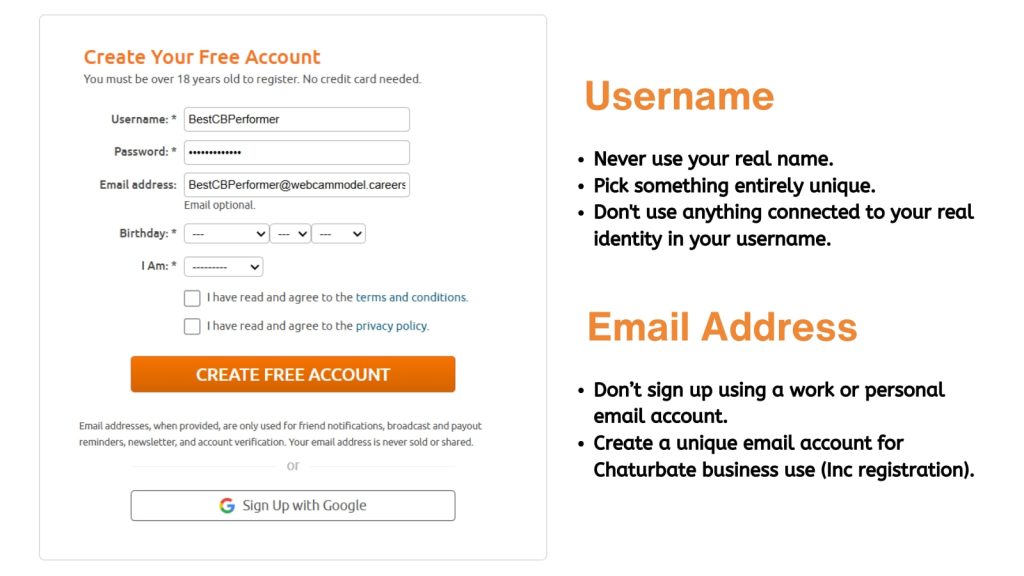
ユーザーネームの選び方はプライバシーを守ることにつながり、同時に配信者としてのアイデンティティを作る第一歩でもあります。筆者ならこう考える、という点をまとめておきます。
ユーザーネームを選ぶときのコツ
Chaturbate のユーザーネームに、本名やその一部を入れるのは絶対に避けてください。実際にやってしまった人を知っているとは言いませんが、とにかくやめておきましょう。本名とは完全に切り離した名前にし、これから作るチャットレディ名やネット上のキャラクターに合っていれば申し分なしです。
本人と紐づく要素は一切入れないこと。ネット上での筆者は Jessica Wett で、チャットに来る人たちは Jess と呼んでくれます。プロフィールに載せているのも、ファンが使うのもこの芸名です。
登録を含め、Chaturbate の仕事専用のメールアドレスを用意してください。プライベートや勤め先のアドレスで登録するのは禁物です。数分の手間でプライバシーが守れるのなら安いものです。
プライバシーと配信者の安全対策については別の記事で詳しく書いていますので、そちらもあわせてご覧ください。
ステップ2:強固なパスワードを設定する
Chaturbate のアカウントには、他で使い回していない強固で固有のパスワードを使ってください。目安は12文字以上で、小文字と大文字、数字、記号を組み合わせます。ありふれた単語やふたついのフレーズは避け、個人情報を元に作るのも絶対にやめましょう。
1Password や LastPass のようなパスワード管理ツールを使えば、この作業はぐっと楽になります。
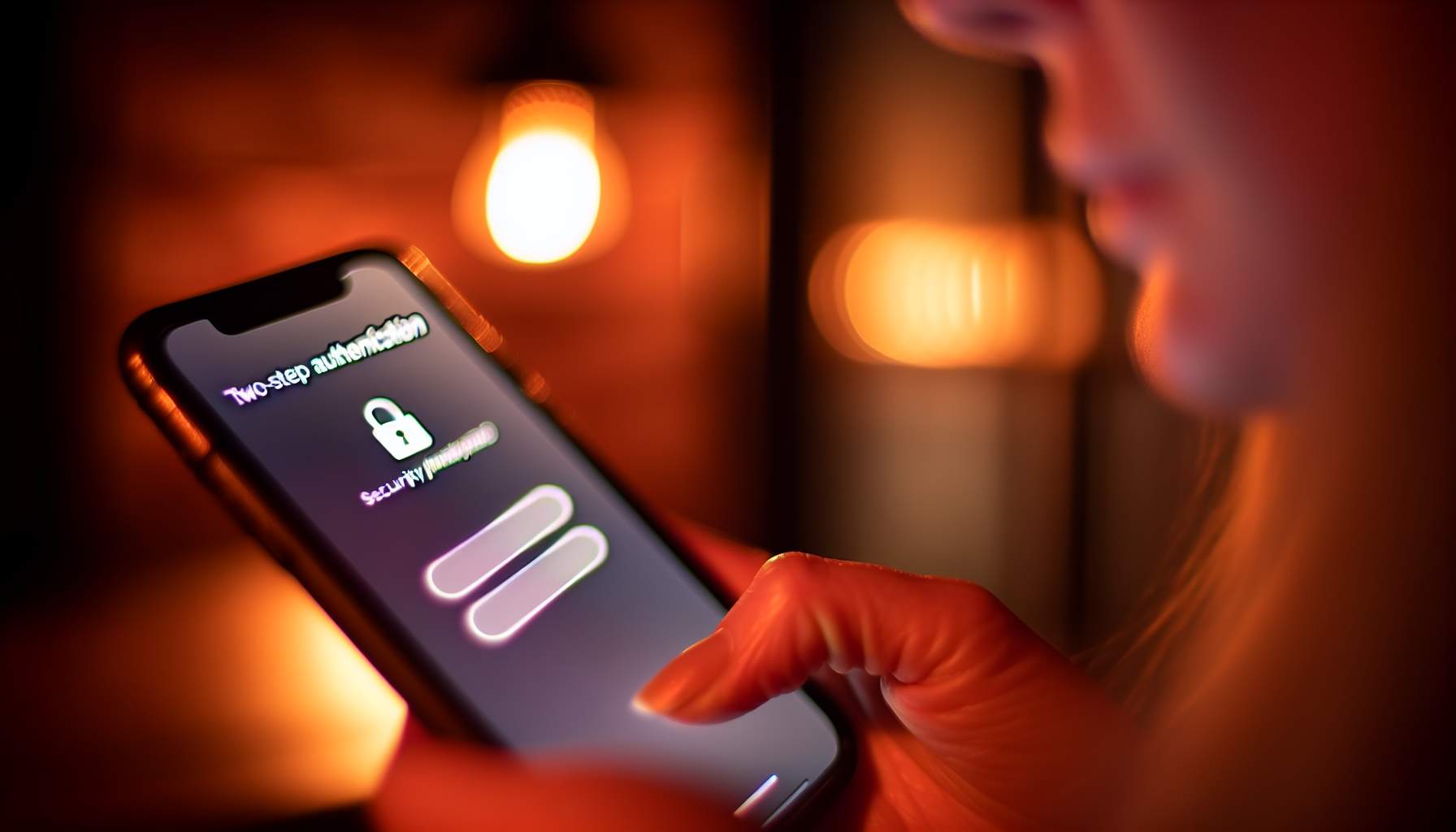
アカウントを作ったら、2段階認証(二段階認証、2FA)を有効にしておくことをおすすめします。保護の層がもう一枚増えます。後からでも、設定とプライバシーの項目からセキュリティをクリックすれば有効化できます。
ステップ3:個人情報を入力する
ユーザーネーム、パスワード、メールアドレスが揃ったら、次は生年月日の入力です。当然ながら、このサイトは18歳以上でなければ利用できません。年齢はChaturbate の本人確認の過程で確認されます。他のアダルトプラットフォームが現在採用しているのと同じ年齢確認の要件に従ったものです。
続いて性別を選びます。トランスジェンダーの配信者の Chaturbate 本人確認も、男性・女性・カップル(パートナーと一緒に配信する場合)のアカウントも、まったく同じ手続きで進みます。配信を始めてしまえば、視聴者を増やすコツもすべての人に共通して当てはまります。
ステップ4:Chaturbate の利用規約とプライバシーポリシー
ここで少し読み物の時間です。生年月日と性別の入力を終えると、チェックボックスが2つ表示されます。
- 利用規約を読み、同意しました。
- プライバシーポリシーを読み、同意しました。
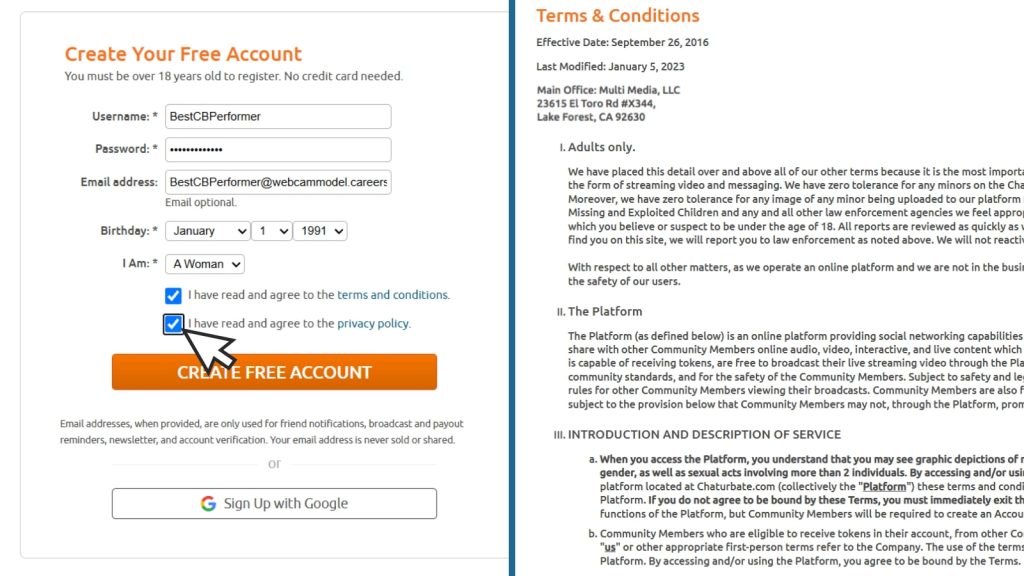
そしてこの2つは、本当に目を通すべきです。とりあえずチェックを入れて細かい部分は後回しにしたくなる気持ちは分かりますが、その「後」はなかなか来ないものです。
特に新人配信者にとって利用規約は重要です。Chaturbate のコミュニティがどう回っているのかを定めているからです。男性の方は男性配信者向けガイドも合わせてお読みください。
利用規約の付属書 CにはChaturbate の行動規範が記載されており、プラットフォーム上で何が許され、何が許されないのかが定められています。このルールを知り、守ることが、このサイトを楽しく、創造的で、誰もが居場所を持てるアダルトコミュニティに保っています。この場所で楽しいことを続けていくためにも、大切なことです。
さらに後から、プラットフォームの使い方を定めた独立配信者契約(independent broadcaster agreement)を読んで同意する必要があります。たとえば配信者は全員が独立した請負人という扱いで、規約上、課税対象となる所得の申告と納税は本人の責任とされています。報酬受け取りガイドとあわせて読んでおくと良いでしょう。
すべてに目を通して2つのチェックボックスを入れたら、「Create Free Account」をクリックしてひと息つきましょう。最初のステップはこれで完了です。お疲れさまでした。
ステップ5:Chaturbate の年齢確認と配信者の身分証提出
アカウントを作成したら、ログイン状態であることを確認し、「Broadcast Yourself」をクリックします。Independent Broadcaster Verification と見出しのついたページが読み込まれるので、オレンジ色の「Upload New ID」ボタンをクリックしてください。
Related Posts: